
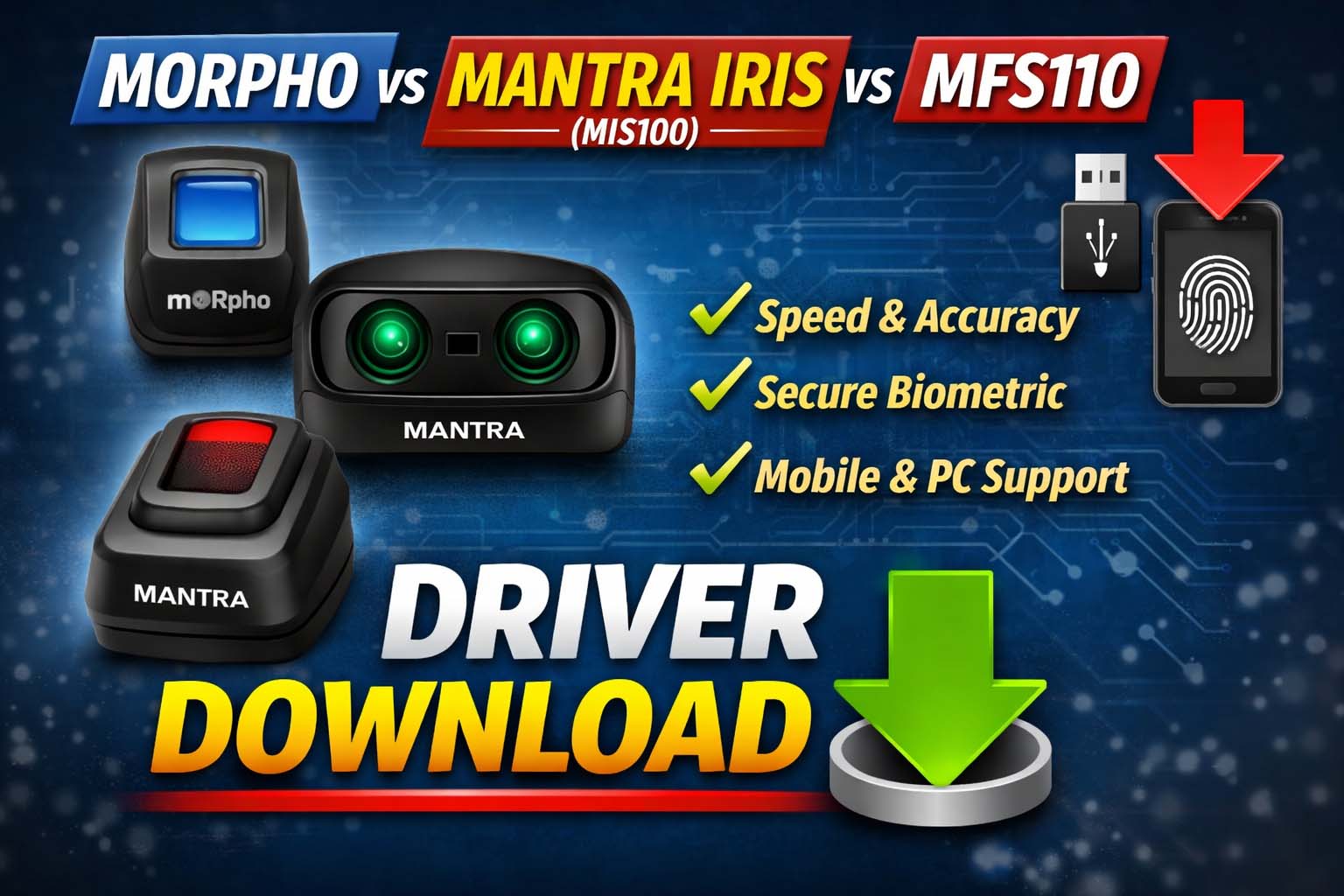
Mantra MFS110 Fingerprint-Iris Scanner Drivers
मैं Mantra MFS110 Optical Fingerprint Scanner का इस्तेमाल करता हूँ, जो काफी compact और portable device है। इसे कहीं भी आसानी से carry किया जा सकता है और use करना भी बहुत आसान है।
इसमें optical fingerprint sensor दिया गया है जो 500 DPI resolution के साथ काम करता है, जिससे fingerprint capture काफी clear और accurate होता है। इसका sensor scratch-free है, इसलिए लंबे समय तक बिना खराब हुए काम करता है।
सबसे अच्छी बात ये है कि इसमें auto finger detection का feature है, जिससे fingerprint अपने आप detect हो जाता है और verification process fast हो जाता है। इसमें FAR और FRR भी काफी कम है, जिससे error chances कम हो जाते हैं।
अगर बात करू Morpho के वजाह Mantra Driver Download करने के बाद इन्हे इंस्टॉल करना बेहद आसान है जबकि मॉर्फो बहुत ही कठिन है।
| Category | Details |
|---|---|
| Performance & Connectivity | यह device USB 2.0 interface के साथ आता है और secured communication support देता है। Windows, Linux और Android तीनों OS पर आसानी से काम करता है। Fingerprint capture time 2 सेकंड से कम है, जिससे verification fast होता है। |
| Security Features | इसमें RSA2048, AES-GCM-256 और SHA-256 encryption दिए गए हैं। साथ ही secure boot और secure memory का support मिलता है, जिससे biometric data पूरी तरह सुरक्षित रहता है। |
| Design & Build Quality | Device compact और lightweight है (61 x 91 x 54 mm, 140 ग्राम)। Red LED light और 256 grayscale image quality के साथ clear fingerprint capture करता है। |
| Usage & Benefits | Biometric authentication, verification और identification के लिए उपयोगी। Passwords का अच्छा alternative है। Aadhaar, Government schemes, CSC / eMitra कार्यों में काफी उपयोगी। |
| Extra Features |
• Scratch-free sensor • Auto capture with quality check • High accuracy fingerprint detection • WHQL certified drivers • Windows, Android, Linux support • IP54 protection (dust & splash resistant) |
Morpho से Mantra110 क्यों बेस्ट है उदाहरण :-
| Point | Mantra MFS110 | Morpho Scanner | Result |
|---|---|---|---|
| 1. Speed & Performance | Fast काम करता है, finger detect होते ही जल्दी capture कर लेता है | कभी-कभी slow काम करता है | Mantra faster है |
| 2. Compatibility | Windows, Android, Linux तीनों पर smoothly काम करता है | Driver और RD service issue आ जाते हैं | Mantra ज्यादा compatible है |
| 3. Fingerprint Detection | Auto detection, dry finger भी detect, कम error (FAR/FRR) | Finger not detected और quality issue की समस्या | Mantra ज्यादा accurate है |
| 4. Build & Maintenance | Scratch-free sensor, maintenance कम | Sensor जल्दी खराब या scratch होने की शिकायत | Mantra durable है |
| 5. Price & Value | सस्ता और value-for-money | थोड़ा महंगा और performance inconsistent | Mantra better value देता है |
| 6. Government / CSC Use | Setup आसान, error कम, fast verification | Issues ज्यादा आते हैं | Mantra ज्यादा use हो रहा है |
Mantra Iris Scanner (MIS100) – Features & Details (मेरे हिसाब से)
मैं Mantra का Iris Scanner (MIS100 / MIS100V2) use करता हूँ, जो fingerprint से भी ज्यादा secure biometric device माना जाता है। इसमें eye (iris) scan करके पहचान की जाती है, जो हर इंसान में unique होती है।
| Category | Details |
|---|---|
| Main Features |
• High-resolution iris scanner जो आंख की बारीक details capture करता है • Auto capture feature (खुद सही image ले लेता है) • 2 सेकंड से कम में fast scanning • Low light और normal light में भी काम करता है • Dust और water resistant |
| Security & Accuracy |
• Iris fingerprint से ज्यादा secure होता है • Fingerprint copy हो सकता है, iris नहीं • बहुत कम error (FAR/FRR) • ISO standard image format support |
| Connectivity & Support |
• USB powered (plug & play) • Windows, Android, Linux support • RD Service और Aadhaar authentication compatible |
| Usage |
• Aadhaar authentication • Ayushman Bharat • Banking (AEPS / KYC) • Jeevan Pramaan (Pension) • CSC / eMitra कार्य • Government projects में उपयोग |
| Benefits |
• Fingerprint fail होने पर best option • Fast और accurate पहचान • High security level • Easy installation और use |
Mantra110 से Iris Scanner क्यों बेस्ट है उदाहरण :-
| Point | Mantra MFS110 (Fingerprint) | Iris Scanner | Result |
|---|---|---|---|
| 1. Security | Fingerprint copy या duplicate होने का risk रहता है | Iris unique होता है, copy करना लगभग impossible | Iris ज्यादा secure है |
| 2. Accuracy | Dry या dirty finger में error आ सकता है | Eye scan में error बहुत कम होता है (low FAR/FRR) | Iris ज्यादा accurate है |
| 3. Failure Rate | Fingerprint mismatch या not detected issue आता है | Mismatch बहुत कम होता है | Iris reliable है |
| 4. User Condition | Finger साफ, dry या proper होना जरूरी | Finger condition का कोई फर्क नहीं पड़ता | Iris ज्यादा convenient है |
| 5. Speed | Fast है (2 सेकंड के अंदर) | Fast है, लेकिन थोड़ा setup time लगता है | दोनों लगभग समान |
| 6. Use Case | Daily CSC, eMitra, Aadhaar काम में ज्यादा use | High-security और backup authentication में use | Iris advanced use के लिए बेहतर |
| 7. Cost | सस्ता और affordable | थोड़ा महंगा | Fingerprint budget-friendly है |
🔹 Final Words
मेरे हिसाब से Mantra MFS110 एक reliable, fast और secure fingerprint scanner है, जो daily use और biometric verification के लिए best option है। अगर आपका काम CSC, banking या Aadhaar based है तो
✅ Mantra Iris Scanner (MIS100) रखना एक strong backup या primary device दोनों तरह से best है 👍
🔽 Morpho, Mantra Iris (MIS100) & MFS110 Mantra Driver Download Links
| Device Name | Mobile Driver (Android) | PC Driver (Windows) | RD Service (Windows) |
|---|---|---|---|
| Morpho Fingerprint Scanner | Download Windows L1 RD (http) Driver | Download Driver Windows L1 RD (https/localhost) PC Driver | Download Driver Windows L1 RD (https/127.0.0.1) RD Service |
| Mantra MFS110 Fingerprint Scanner | Mantra Driver Download (Mobile) | Mantra Driver Download (PC) | Mantra RD Service Download |
| Mantra Iris Scanner (MIS100 V2) | Mantra Driver Download (Mobile) | Mantra Driver Download (PC) | Mantra RD Service Download |
और अधिक सॉफ्टवेयर के लिए इस लिंक पर क्लिक करे–
❓ FAQ – Morpho, Mantra Iris (MIS100) & Mantra Driver Download
Q1. Morpho fingerprint scanner driver download kaise kare?
Morpho fingerprint scanner ka driver download karne ke liye official RD Service website par jaakar latest version download karein. Install karne ke baad device easily kaam karta hai.
Q2. Mantra MFS110 driver download karne ka sahi tarika kya hai?
Mantra MFS110 driver download ke liye Mantra ki official website par jaakar Windows ya Android driver download karein aur USB se connect karke install karein.
Q3. Mantra Iris Scanner MIS100 driver download kaise kare?
Mantra Iris Scanner MIS100 ka driver download karne ke liye RD Service portal par jaakar mobile aur PC dono ke liye driver install karna hota hai.
Q4. Mobile ke liye biometric driver download kaise kare?
Mobile me biometric use karne ke liye Android RD Service app download karni padti hai. Ye Play Store ya official site par mil jaati hai.
Q5. PC me fingerprint scanner driver install karne ke baad bhi kaam nahi kar raha?
Agar driver download ke baad bhi device kaam nahi kare to:
- RD Service properly install ho
- USB connection sahi ho
- Latest driver version ho
Q6. Fingerprint vs Iris scanner me driver setup same hota hai kya?
Nahi, fingerprint aur iris scanner ka driver alag hota hai, lekin dono me RD Service install karna jaruri hota hai authentication ke liye.
Q7. Mantra devices ka driver download fast aur stable kyu mana jata hai?
Kyuki Mantra devices me better compatibility (Windows, Android, Linux), fast capture aur kam error rate hota hai, isliye Mantra driver bhi smoothly kaam karta hai.
Q8. Iris scanner driver download kyu important hai?
Iris scanner driver download isliye important hai kyuki ye high-security authentication deta hai aur fingerprint fail hone par best backup option hota hai.
Q9. Morpho vs Mantra driver download me kaunsa better hai?
Generally Mantra driver download zyada stable aur easy setup hota hai, jabki Morpho me kabhi-kabhi RD service issue aa jata hai.
Q10. Biometric driver download free hota hai ya paid?
Driver download free hota hai, lekin RD Service activation paid ho sakta hai, jo Aadhaar authentication ke liye jaruri hota hai.